Brand NEW Python 7145P 1-Way 4-Button Remote Control Replacement Transmitter Replacing The Discontinued Python 473P 3-Button Remote Control
Looking for a replacement 3-button remote control for your system or just need an additional remote control? Buy from Access 1 Alarm and Audio!
Whether you’re replacing a lost remote or adding an extra for convenience, this 7145P is the perfect solution. Shop with confidence at Access 1 Alarm and Audio — where you'll receive a, GENUINE remote control direct from the original manufacturer. No knock-offs. No reprogrammed returns. Just authentic Python quality.
What you will receive:
- Python 7145P 1-Way Remote Control
- Programming Instructions
Works with the following Python systems
- 413
- 416P
- 426P
- 436P
- 440 HP
- 443
- 460 HP
- 460 MAX
- 500
- 502
- 513
- 543P
- 561P
- 562P
- 563P
- 567P
- 571 XP
- 572P
- 660 HP
- 660 XP
- 700
- 702
- 871 XP
- 900
- 902
- 1200 HP
- 1400 XP
- 1600 HP
- 3101P
- 3102P
- 3105P
- 3201P
- 3302P
- 3305P
- 4103P
- 4105P
- 4403P
- 5103P
- 5105P
- 5303P
- 5305P
- 5403P
- DS3
- DS3+
- DS4
- DS4+
- D9145P
- PS5000
- Responder 460
Works with or replaces the following remote controls
- 473P
- 474P
- 7141P
- 7142P
- 7145P
Please make sure you have a working control unit installed in the vehicle prior to ordering this remote control. Programming instructions are included with the package and will require accessing your valet/programming push-button switch usually hidden under the drivers side dashboard area. Video instructions will be available on our YouTube page under remote controls. Please contact us if you have any questions.
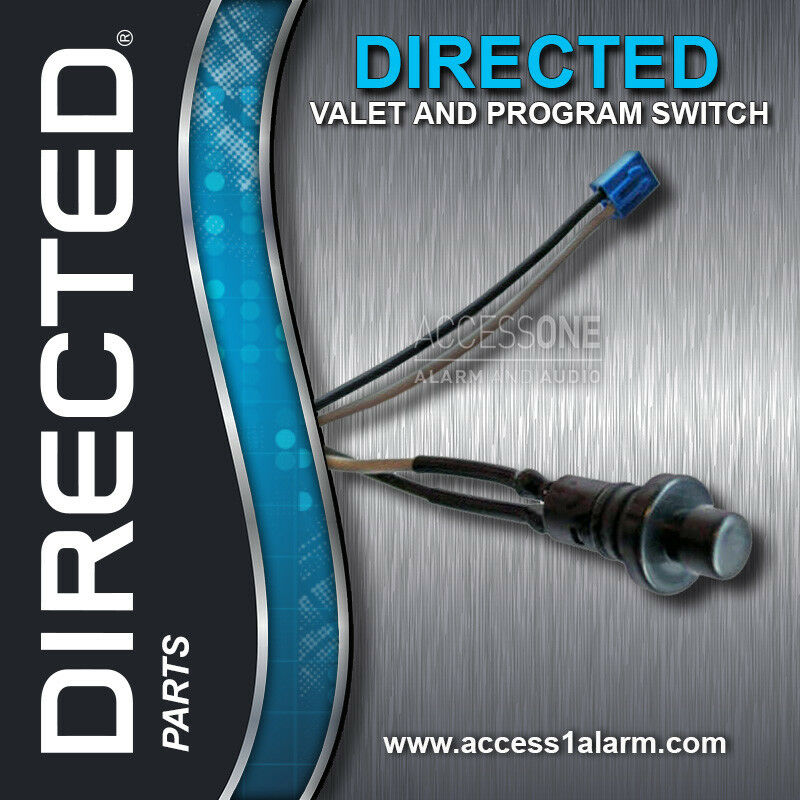
Need the valet and programming switch? Don't forget to add it when checking out.
Why buy from us? Well, we are the experts that only believe in perfection, from the quality of our images to the accurate description in each and every listing.
Programming Your Remote Control
Note: Make sure the system is disarmed, and the LED is off a minimum of 60-seconds prior to beginning the remote pairing process.
Preparing the system that HAS remote start
- Open drivers door
- Turn the ignition ON.
- Within 10-seconds, press and release the valet and programming button once, then press and hold it. The status LED begins flashing and the siren/horn (if connected) sounds to confirm the system is ready for pairing. DO NOT LET GO OF THE SWITCH
- Press the "LOCK/UNLOCK" button of the 473 transmitter. The vehicles horn/siren will honk if connected. You have now successfully learned the remote to the vehicles remote start system.
- Turn the ignition OFF and WAIT approximately 60 seconds.
Preparing the system that DOES NOT have remote start
- Open drivers door
- Turn the ignition ON.
- Within 10-seconds, press and release the valet and programming button seven times, then press and hold the button (on the 8 press you are holding it depressed). The status LED begins flashing and the siren/horn (if connected) sounds to confirm the system is ready for pairing. DO NOT LET GO OF THE SWITCH
- Press the "LOCK/UNLOCK" button of the 473 transmitter. The vehicles horn/siren will honk if connected. You have now successfully learned the remote to the vehicles remote start system.
- Turn the ignition OFF and WAIT approximately 60 seconds.
Programming Your Remote Control
Note: Make sure the system is disarmed, and the LED is off a minimum of 60-seconds prior to beginning the remote pairing process.
Preparing the system that HAS remote start
- Open drivers door
- Turn the ignition ON.
- Within 10-seconds, press and release the valet and programming button once, then press and hold it. The status LED begins flashing and the siren/horn (if connected) sounds to confirm the system is ready for pairing. DO NOT LET GO OF THE SWITCH
- Press the "LOCK/UNLOCK" button of the 473 transmitter. The vehicles horn/siren will honk if connected. You have now successfully learned the remote to the vehicles remote start system.
- Turn the ignition OFF and WAIT approximately 60 seconds.
Preparing the system that DOES NOT have remote start
- Open drivers door
- Turn the ignition ON.
- Within 10-seconds, press and release the valet and programming button seven times, then press and hold the button (on the 8 press you are holding it depressed). The status LED begins flashing and the siren/horn (if connected) sounds to confirm the system is ready for pairing. DO NOT LET GO OF THE SWITCH
- Press the "LOCK/UNLOCK" button of the 473 transmitter. The vehicles horn/siren will honk if connected. You have now successfully learned the remote to the vehicles remote start system.
- Turn the ignition OFF and WAIT approximately 60 seconds.